Custom Domains
By default, Spindl’s short links look like: https://spindl.link/b2b3ec7a5
Spindl supports custom domains as well, so you can have links like https://link.mydapp.com/12345 .
DNS Changes
To set up a Custom Domain, you need to make two simple changes to your DNS settings:
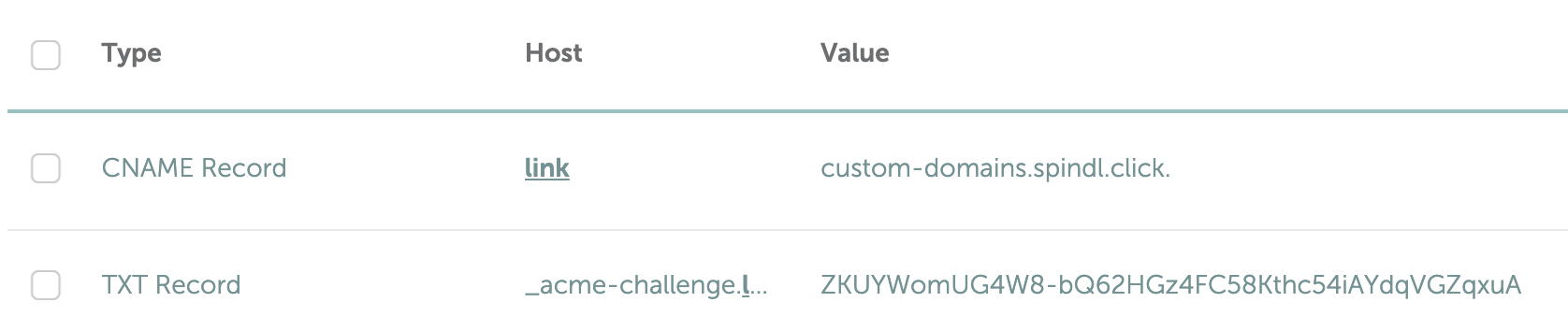
- Create a CNAME record pointing the custom subdomain to Spindl’s redirect server (
custom-domains.spindl.click.) - Create a TXT record for SSL certificate validation & creation (this is specific to each subdomain)
| Record Type | Name | Value |
|---|---|---|
| CNAME | link | custom-domains.spindl.click. |
| TXT | _acme-challenge.link | (We’ll send it to you privately) |
As an example, here is what this should look like in different providers:
- Cloudflare (for the subdomain
l)

- Namecheap (for the subdomain
link)
After configuring records, it can take up to a few hours for the changes to propagate and the SSL certificate to be generated.